

Lengoo
Web and desktop
plug-in for office 365
- User research (Interviews)
- UI kit design
- User Flows
January-February 2023
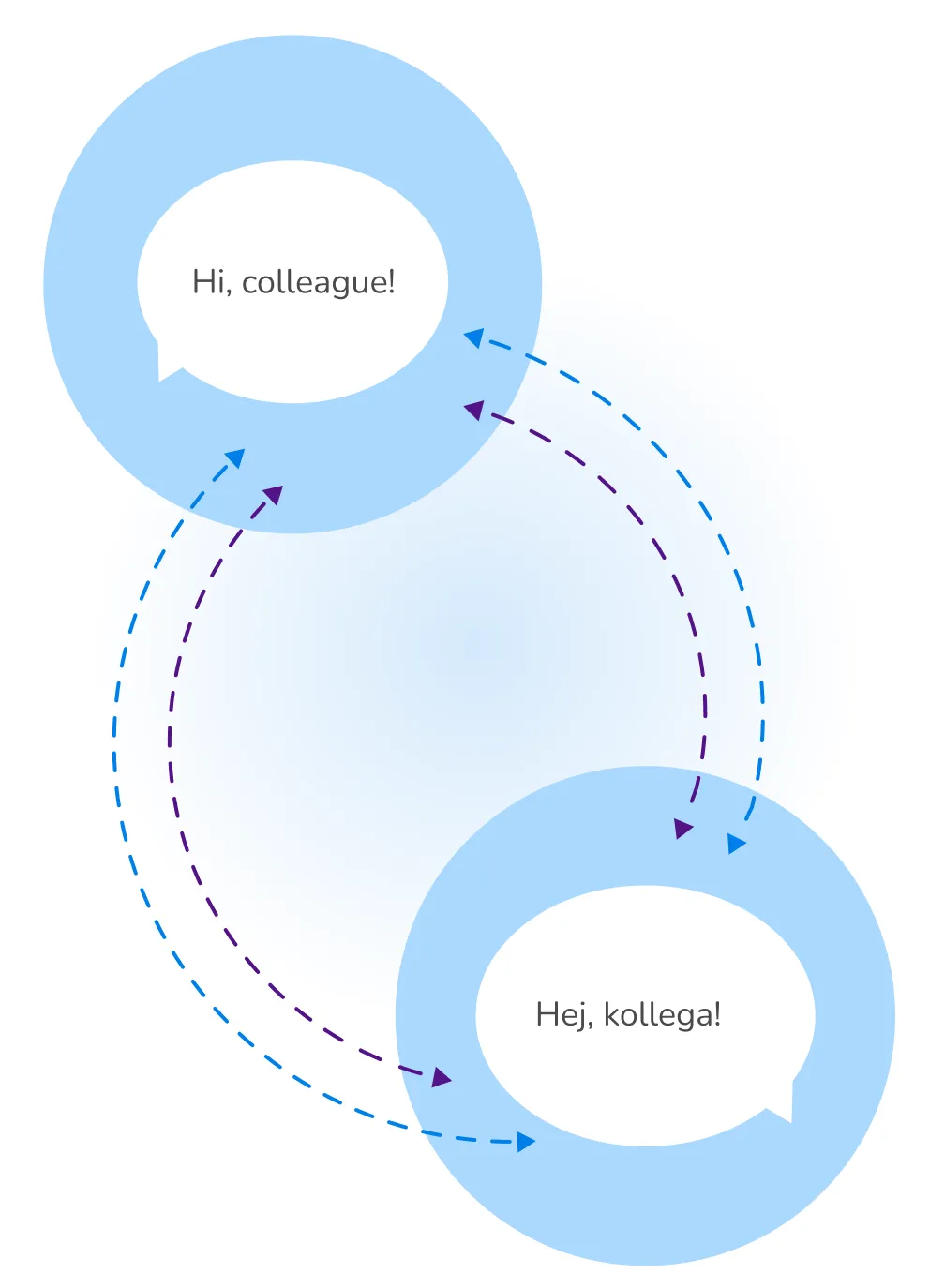

- Users wanted to have instant translations and leverage the usage of their language resosurces to have better short translations without the need of having to go through a long requests process.
- They also wanted to speed up their working time and translate instantly from the apps they use for their daily tasks without having to switch screens.

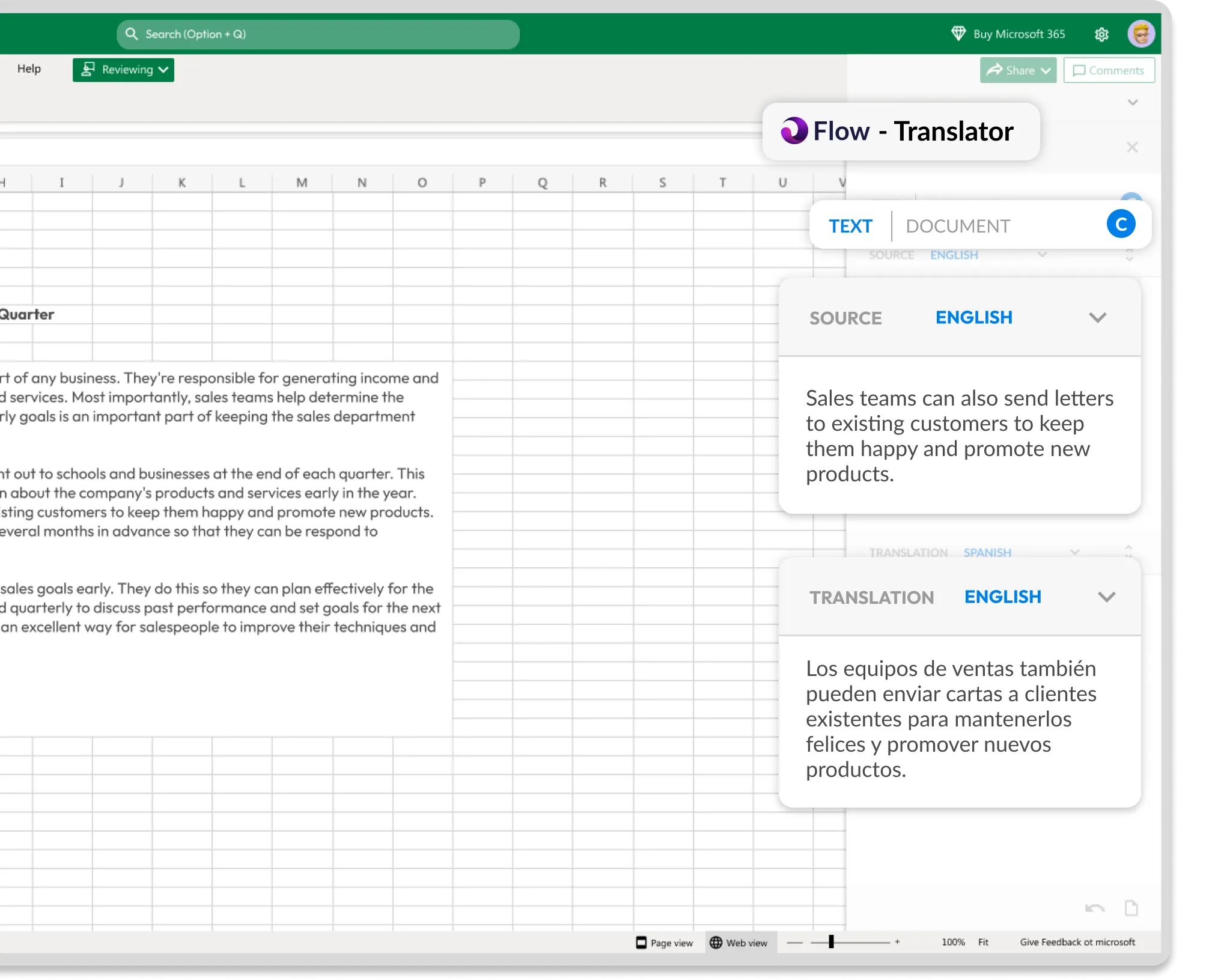
- Expanding Flow to an “Plug-in” for the office suite where they can use their translation memories to translate inside their work apps.
Flow represents a cutting-edge instant translator harnessing custom machine translation memories to deliver sleek and personalized brand translations. Tailored for seamless cross-functional communication across diverse language-speaking teams, it's not just a translator—it's a language fusion tool.
While conducting user feedback calls for the primary instant translator, we observed users expressing a desire for a more accessible translation interface. To gain deeper insights into their needs, we collected additional information.


-Compromising quality over speed
-Correcting language assets repeatedly
-Jumping between apss at work
- Control on language assets
- Saving time on admin tasks
-Delivering high quality at work
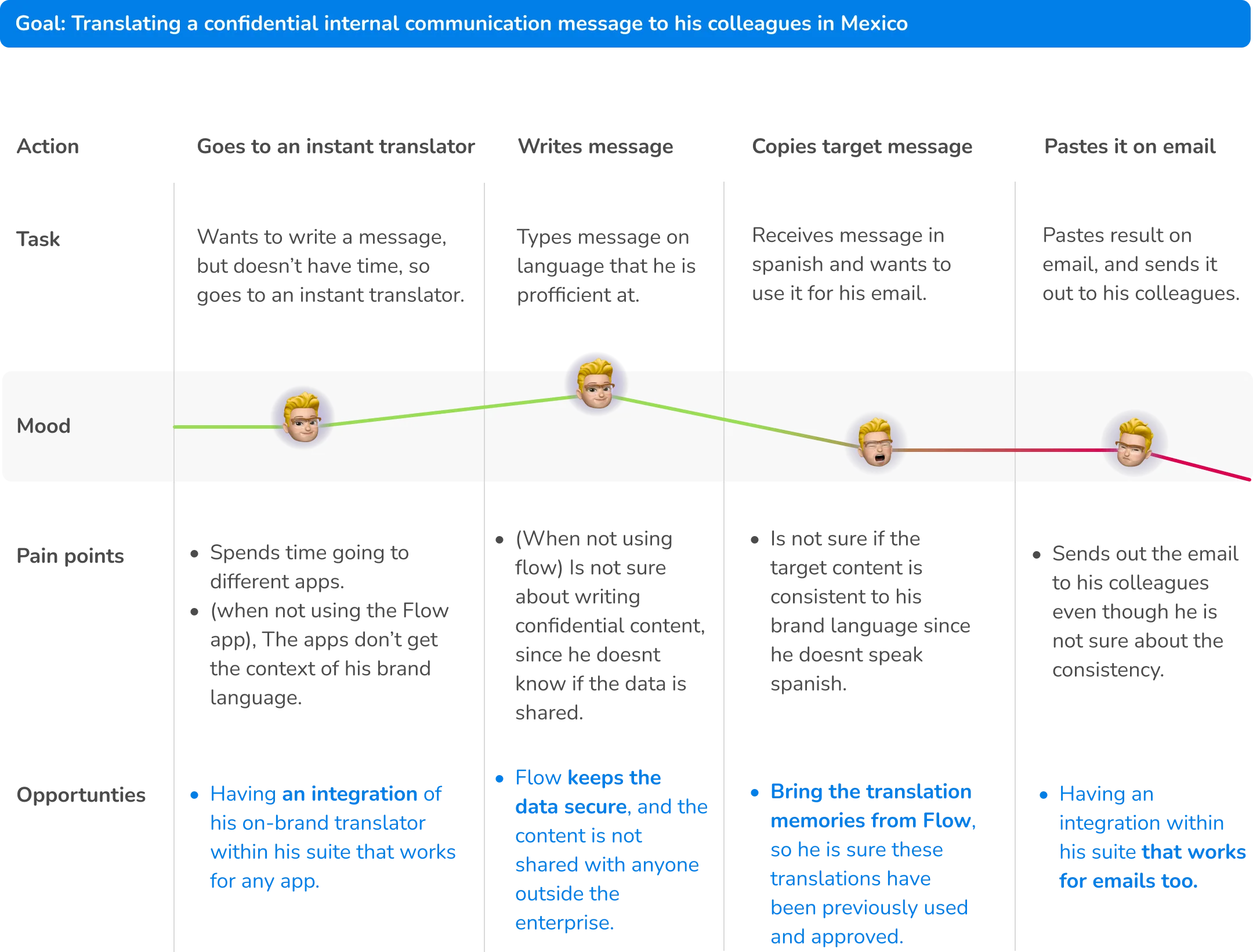
As an Expert Translation Manager in a corporate setting, he prioritizes the translation quality, as it shapes inter-language communication among colleagues. Outside work, he enjoys spending time with his kids and delving into literature on diverse cultures.



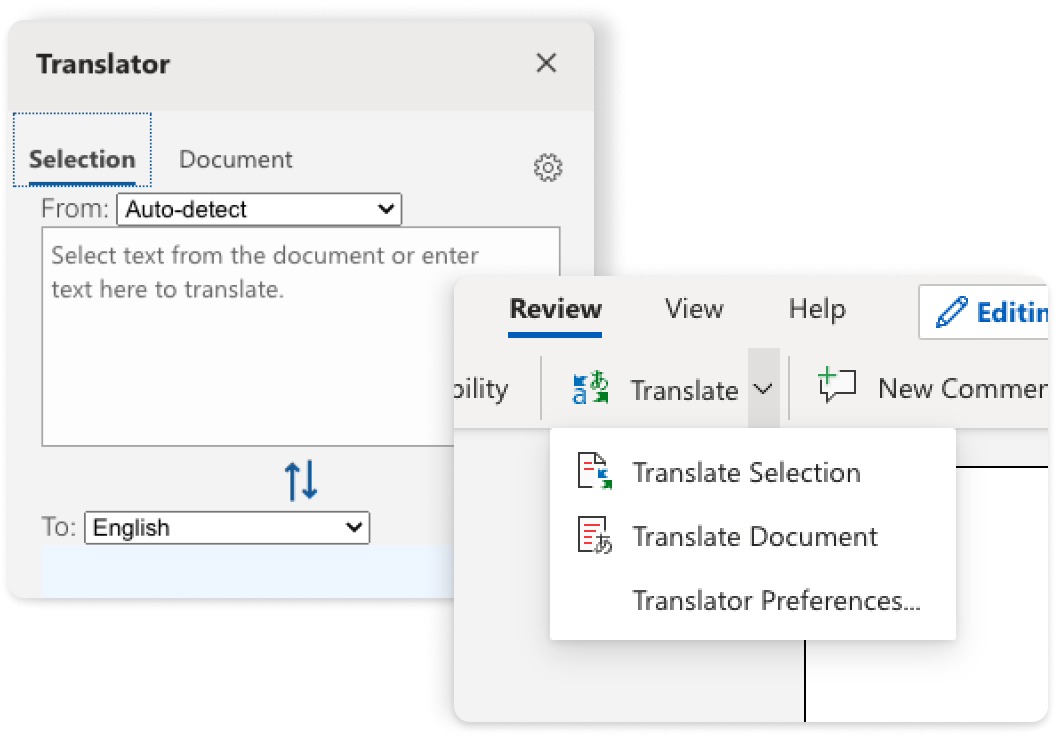
- Translation monolingual section text
- Translation of entire document
- Replace source with translated target
- Auto-detection of source language
- They user cant paste the target translation and keep the source one
- There are no shortcuts to start the plugin
- Selection of memories to perform translation

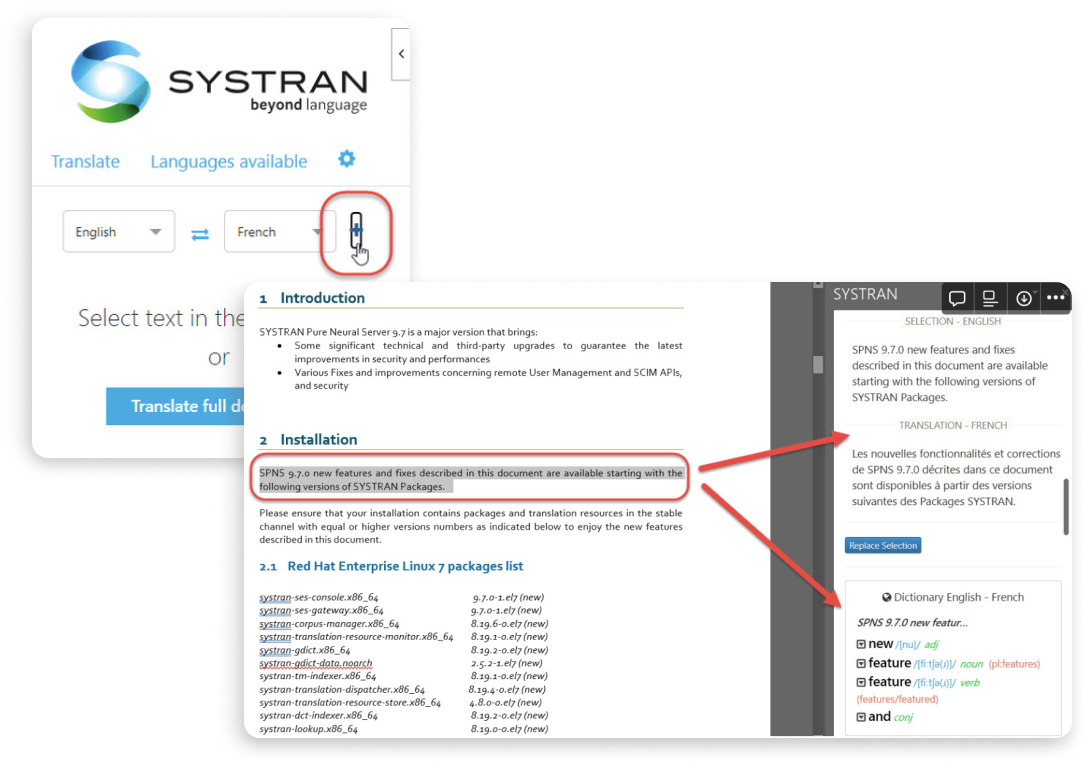
- Translation monolingual section text
- Translation of entire document
- Replace source with translated target
- Autodetection of source language
- Selection of memories to trigger translation
-They user cant paste the target translation while keeping the source one
-There are no shortcuts to activate the plugin
- Which app from the suite do you use the most?
- What are your translation painpoints?
- Between translating existing content and producing it, which activity do you do the most?
- Which kind of features from flow would you like to see in the Plugin that could help you to be faster?
- What do you translate the most? (Portions of text or entire documents)
- What feature help you the most for your work and why? (Translating and keeping the source text or, replacing it?)

When i had all the necessary insights from the research part, me and the product team created the problem statement that would guide us during the design process.

They use outlook, word, and excel the most.

Translation of snippets of texts and entire documents are equally important for them.

The most important features for them to include were selection of languages, document translation, translation of existing text and free writing translation.
🔒 Data security:
Translation data should not be shared
🔘 Quick interface:
Having all features reachable without switching screens
🧠 Use of translation memories:
Translate with previous translation memories to ensure consistency
User story
“As the an expert translation Manager, i want to be able to translate texts with the company’s translation memories on the suite where im producing/reading my content, so i can save time when on my daily tasks without compromising the quality and security of my data”.

.webp)


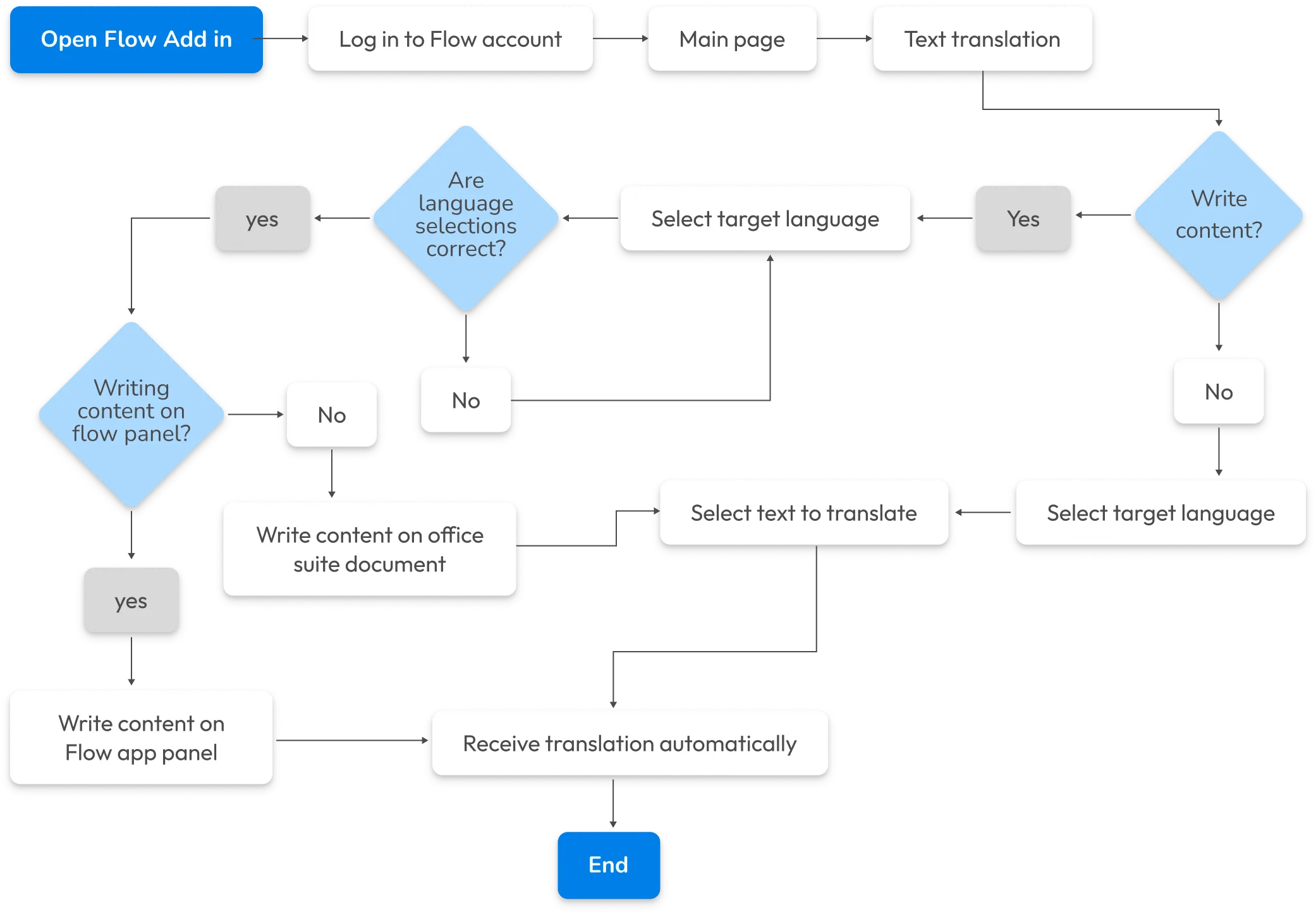

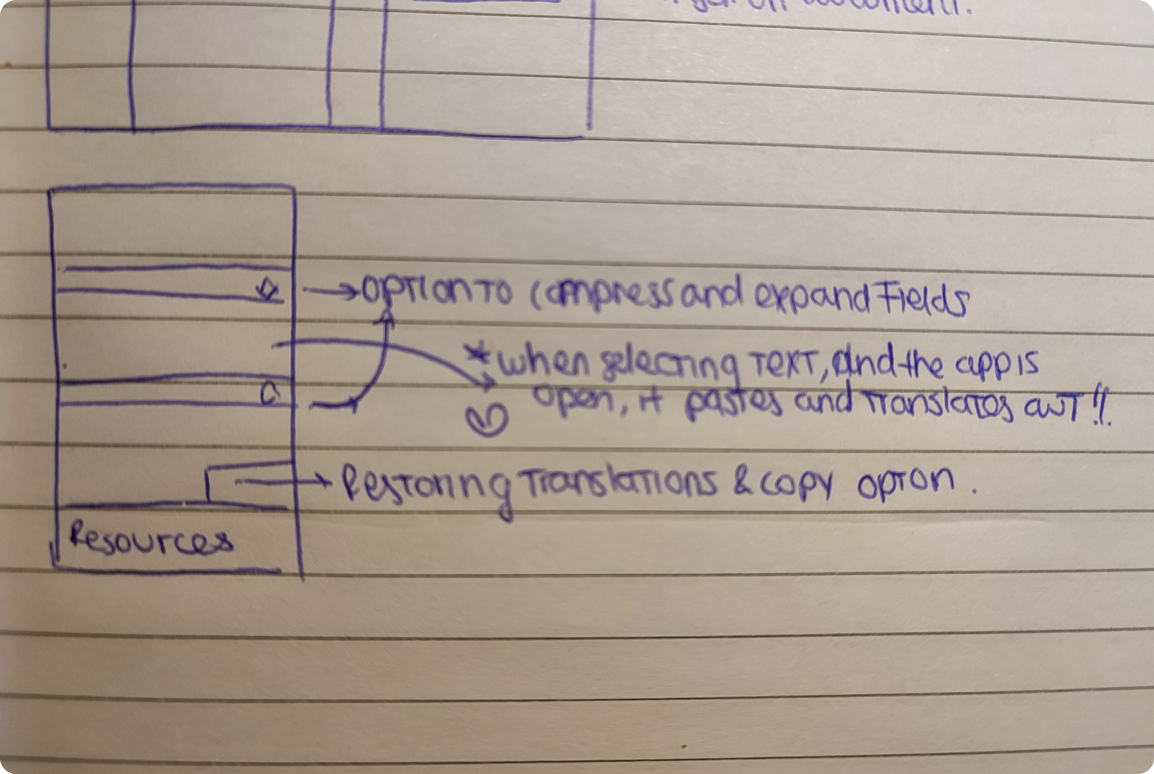

.png)
.webp)

app from the suite do you use the most?- Which

app from the suite do you use the most?- Which

app from the suite do you use the most?- Which

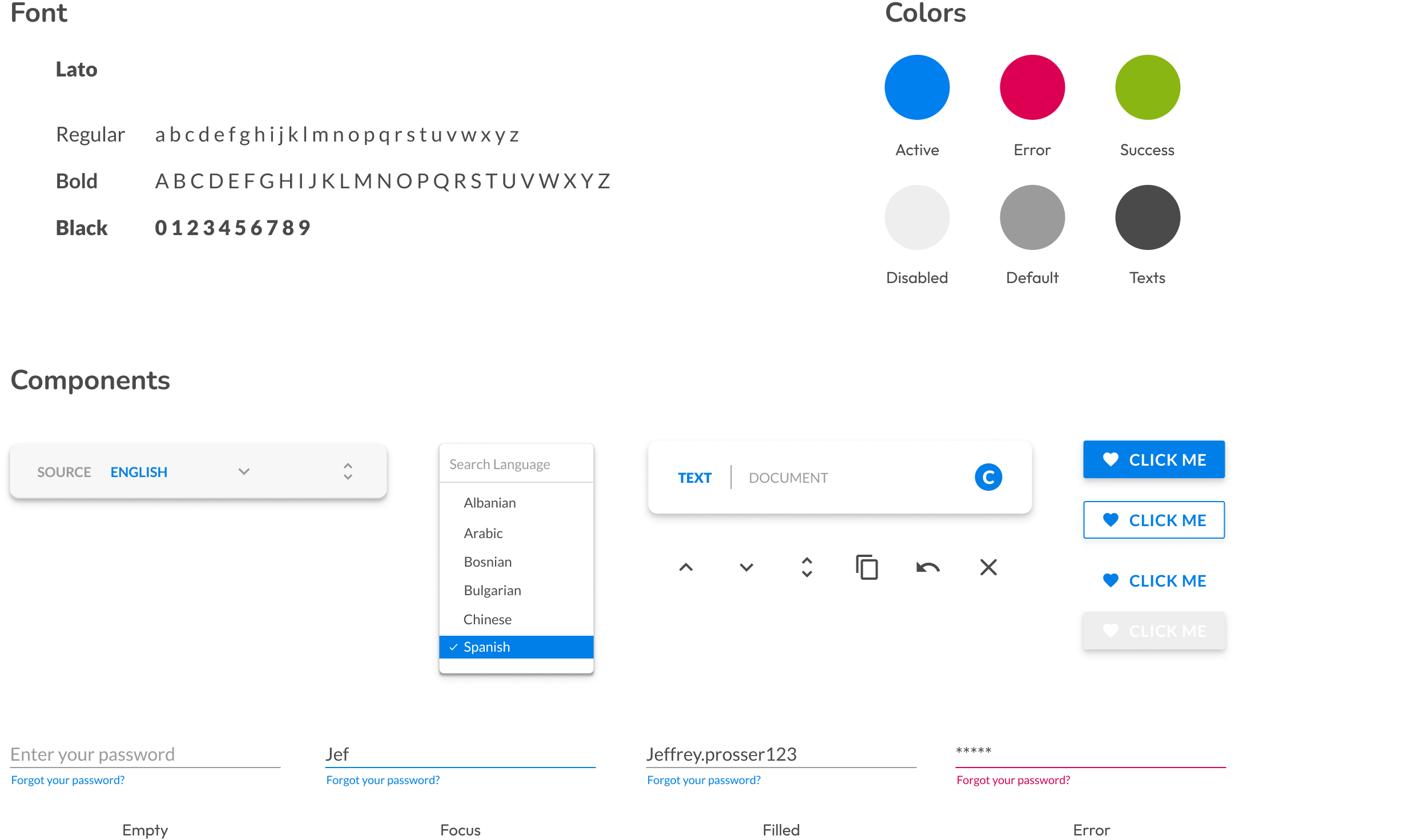
Once the designs were finished, developers could start implementing them. At this point, I prepare and export every design asset so that front-end developers have everything they need to start working. Having the design system in place, easily accessible for developers, is a massive time-saver.
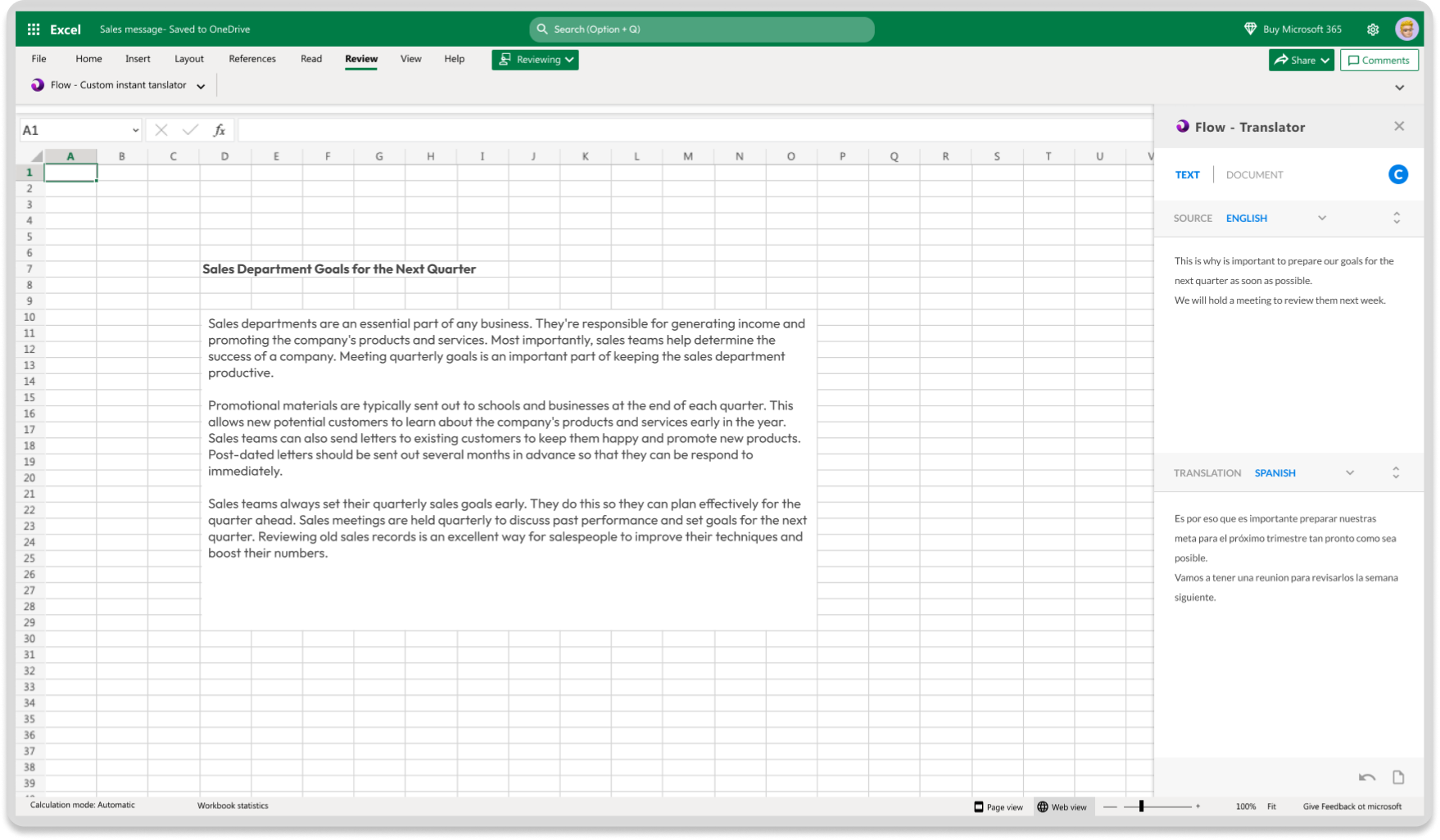

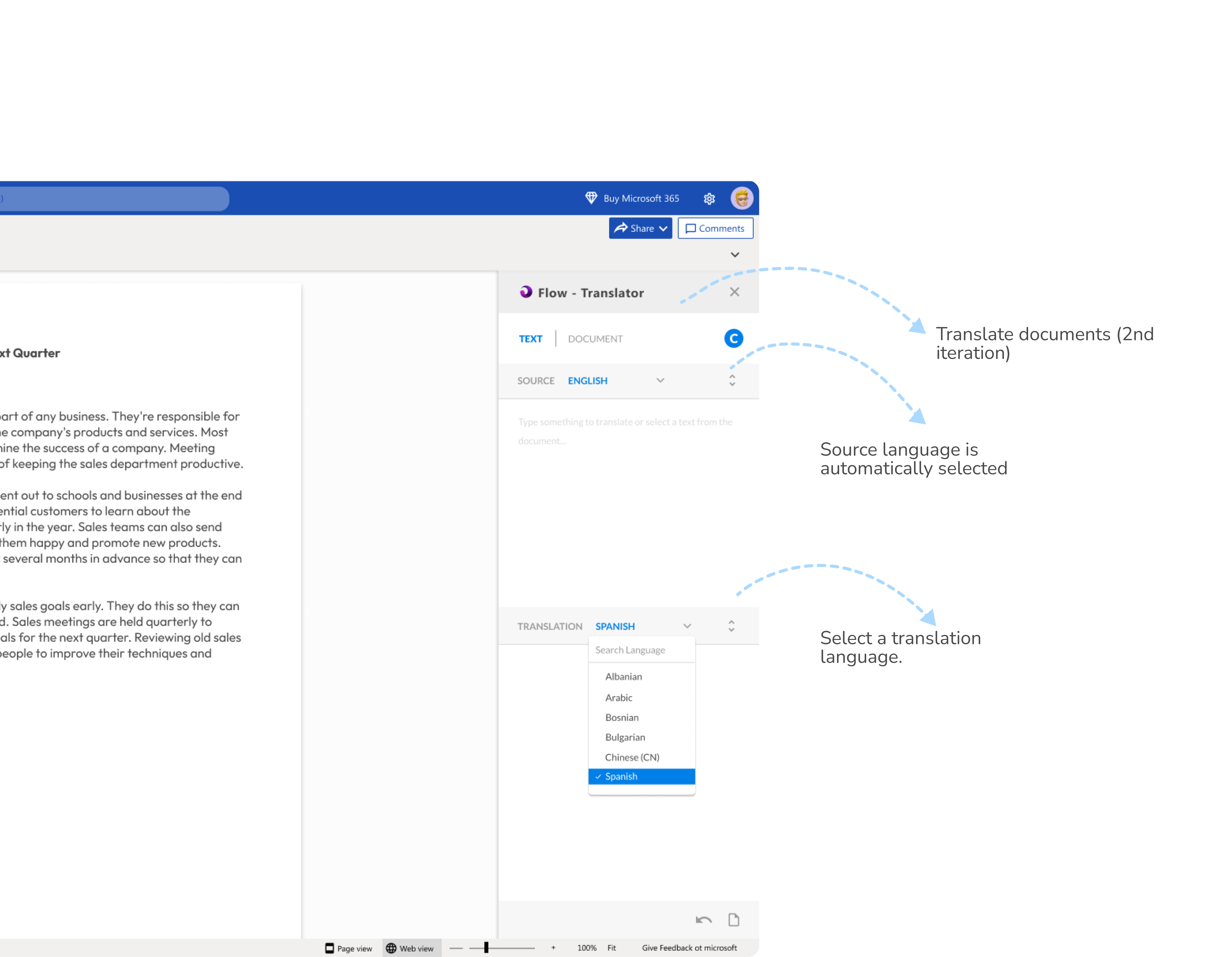
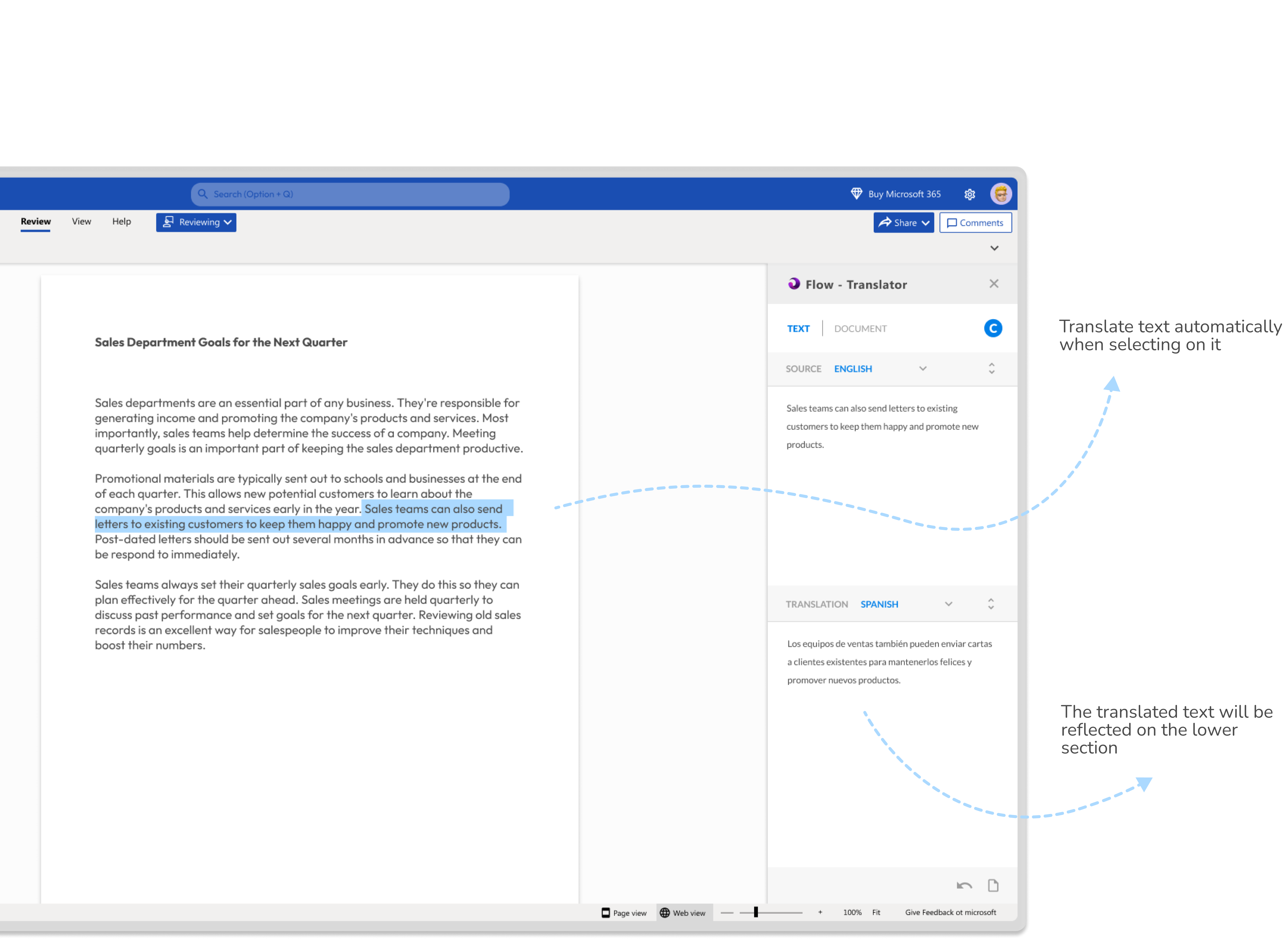
.png)

Whether you have a project in mind or just want to chat about design, reach out!

I spearheaded the user research and injected a cool factor into the UI design for the inaugural version of this game-changing plug-in.